India / Waviq Technologies Private Limited.

Digital solutions for
your business in India.

Messaging automation, business systems, websites and original writing, scoped around your needs.

Waviq Automated Assistants

India · Change country

Explore Waviq’s WhatsApp Automation

For hospitals, clinics and schools—explore how an automated assistant can collect enquiries and guide appointment or visit requests.

Chat with Waviq on WhatsApp

WhatsApp: +91 9150282787

Message HI to explore our services through Waviq’s automated assistant.

Open your messaging app and send the prepared message. You must send the message before Waviq’s automated assistant can respond.

A starting point for messaging

Recommended starting channel: WhatsApp

Alternative channels: Instagram and SMS.

The recommended messaging channel depends on your industry, audience, location, consent requirements and use case. A country recommendation is a starting point for discussion, not a claim about everyone’s communication preferences.

Clients must obtain appropriate consent and follow applicable laws and platform rules. Messaging projects include planning for opt-out support, recipient preferences and human handoff.

Messaging services

Digital services available in India

Let’s define the next step

A solution shaped around your business.

Tell us what you need. We’ll agree the scope and quotation before paid work begins.

Submit Request

Registered Waviq clients

Connect your business WhatsApp

Already registered with Waviq? Enter your assigned business WhatsApp number to begin connecting your account.

New to Waviq? Request a demo to discuss your requirements first.

Connect Your Business WhatsApp

See a clinic booking example

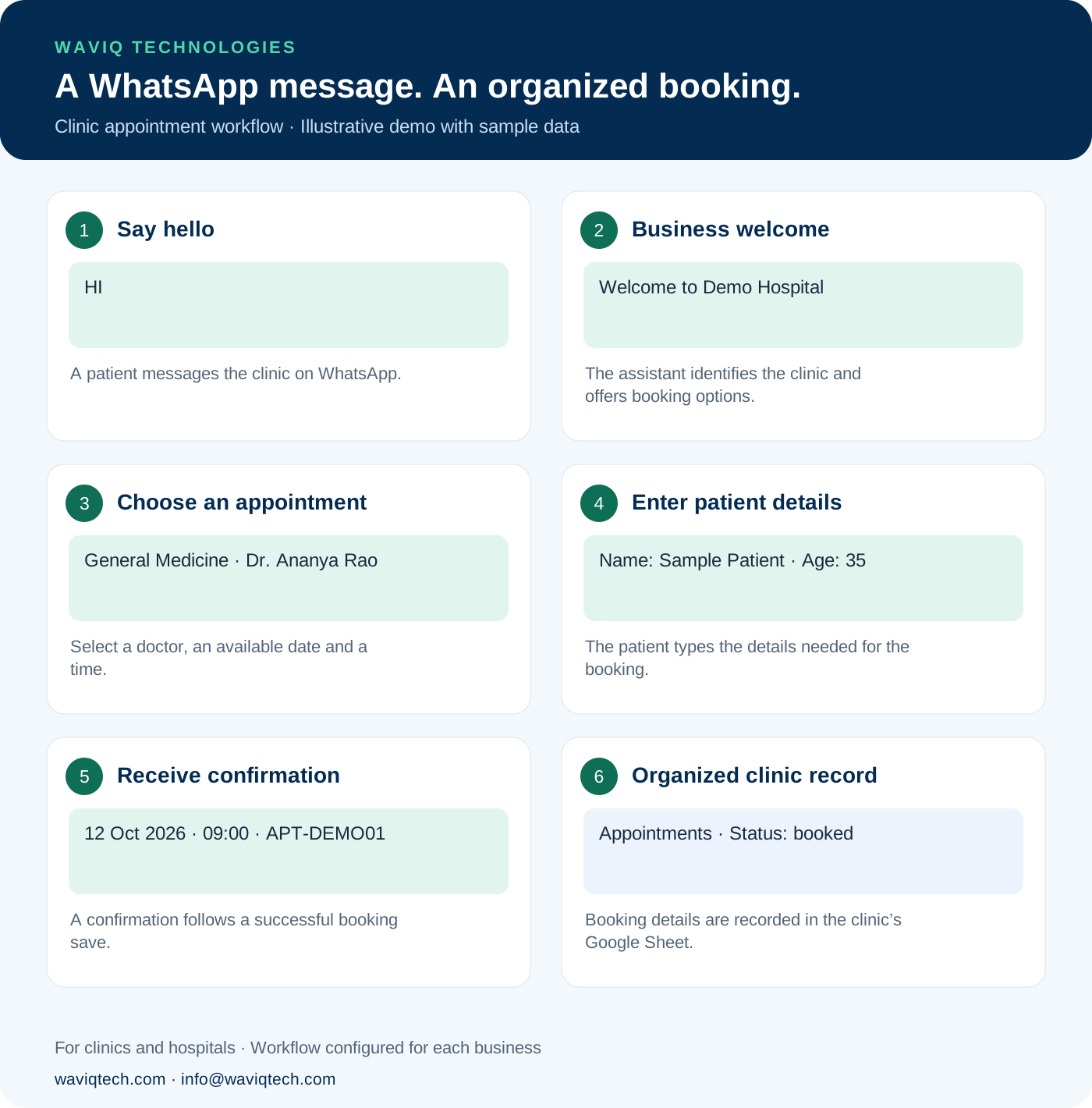
From “HI” to an organized appointment.

A patient starts on WhatsApp. Waviq guides them through the clinic’s booking process and records the details for its team.

  1. Say hello

    A patient messages the clinic on WhatsApp.

  2. Business welcome

    The assistant identifies the clinic and offers booking options.

  3. Choose an appointment

    Select a doctor, an available date and a time.

  4. Enter patient details

    The patient types the details needed for the booking.

  5. Receive confirmation

    A confirmation follows a successful booking save.

  6. Organized clinic record

    Booking details are recorded in the clinic’s Google Sheet.

View the illustrated booking journey Six-step clinic booking example: hello, welcome, appointment selection, patient details, confirmation and a Google Sheet record. All details are samples.

Illustrative demo using sample details. Tap the image to open the full-size version. Available features depend on the agreed clinic setup.

Request a clinic demo